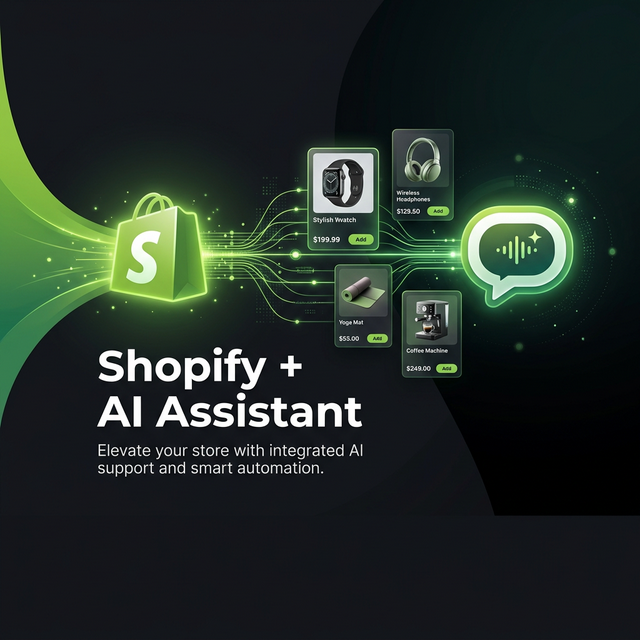
The Shopify Store That Never Sleeps
Every online store has the same problem: customers buy around the clock, but support teams don't. Shoppers in different time zones ask the same questions — Is this in stock? What sizes do you have? Where is my order? — and if no one is there to answer, they leave. They don't come back. You lose the sale, and you lose the customer.
The traditional answer is to write static FAQs, which get outdated the moment you change a price or run out of stock. Or hire more agents, which costs more than the problem. Mujib offers a third option: your assistant connects to your store through its API and answers from live data, at any hour, in any language.
Live Store Data, Not Frozen FAQs
The difference between a static AI and a live-connected AI is dramatic. A static AI trained on a product CSV from last month doesn't know that you ran out of the black variant yesterday. It doesn't know that you added a new collection this morning. It doesn't know that order #5234 shipped two hours ago. It just repeats whatever you told it weeks ago.
A Shopify-connected AI knows all of this, because it's reading directly from your Shopify Admin API every single time a customer asks. Products, inventory levels, order status, customer records, collections — all queried in real time, all accurate as of right now.
What Your Assistant Can Look Up
Mujib connects to the Shopify Admin REST API as one of your own APIs, and you turn the requests you need into tools. Order status is the most urgent — customers who want to track their package get the fulfillment status, carrier and tracking number without waiting for a human. Product lookup answers availability, price, colour and size questions from your live catalog. If you also keep your catalog as a data table with photos in Mujib, the assistant can send the product photos too.
Each tool has its own plain-word rule for when to use it and when not to, with real customer examples, so the assistant picks the right one: a question about a delivery goes to the order tool, a question about a size goes to the product tool. Every call, and the reason for it, is recorded in the conversation.
"Do you have the leather wallet in brown?" → The AI searches your Shopify product catalog, finds the variant, checks stock status, and replies: "Yes, the Leather Bifold Wallet in Brown is in stock. Price: SAR 149. Free shipping on orders over SAR 200."
How to Connect Shopify to Mujib
You need a Shopify Admin API access token. Here's how:
Step 1 — Create a Custom App in Shopify
From your Shopify Admin, go to Settings → Apps → Develop apps and create a new app. Name it something like "Mujib AI" so you can identify it later. Under the Admin API access section, grant the app read permissions for Products and Orders — nothing else. Then install the app and copy the Admin API access token that starts with shpat_.
Step 2 — Connect Your Store as an API in Mujib
In the Mujib console, open Tools → Connect a new system → Your API. Set the base address to https://mystore.myshopify.com/admin/api/2024-10 (your myshopify.com domain, not a custom domain), and add a header X-Shopify-Access-Token with the value {secret:TOKEN}, saving the token as the connection's secret. It is stored encrypted and never shown again.
Step 3 — Import the Requests as Tools
Use Import a request and paste a cURL command, for example curl "https://mystore.myshopify.com/admin/api/2024-10/orders.json?name=%235234&status=any" -H "X-Shopify-Access-Token: shpat_…". Mujib moves the token into the connection, and you turn the order number into an input the assistant asks the customer for. Write when to use the tool, keep it on runs automatically because it only reads, switch it on for your assistant, try it as a customer and publish from Test & publish.
المتجر الذي لا ينام أبداً
كل متجر إلكتروني يعاني من نفس المشكلة: العملاء يتسوقون على مدار الساعة، لكن فرق الدعم لا تعمل كذلك. يسأل المتسوقون في مناطق زمنية مختلفة نفس الأسئلة — هل هذا متوفر؟ ما المقاسات المتاحة؟ أين طلبي؟ — وإذا لم يكن أحد موجوداً للإجابة، يغادرون. لا يعودون. تخسر البيعة وتخسر العميل.
الإجابة التقليدية هي كتابة أسئلة شائعة ثابتة تتقادم فور تغيير سعر أو نفاد مخزون، أو توظيف مزيد من الموظفين بتكلفة تفوق المشكلة نفسها. ويقدّم مُجيب خيارًا ثالثًا: يتصل مساعدك بمتجرك عبر واجهته البرمجية ويجيب من بيانات حية، في أي ساعة وبأي لغة.
بيانات المتجر الحية، لا الأسئلة الشائعة المجمّدة
الفرق بين ذكاء اصطناعي ثابت وآخر متصل حياً هو الفارق الفلكي. ذكاء اصطناعي مدرّب على ملف CSV للمنتجات من الشهر الماضي لا يعرف أنك نفد من المتغير الأسود بالأمس. لا يعرف أنك أضفت تشكيلة جديدة هذا الصباح. لا يعرف أن الطلب #5234 شُحن قبل ساعتين. يردد فقط ما أخبرته به قبل أسابيع.
ذكاء اصطناعي متصل بـ Shopify يعرف كل هذا، لأنه يقرأ مباشرة من Shopify Admin API في كل مرة يسأل فيها عميل. المنتجات ومستويات المخزون وحالة الطلبات وسجلات العملاء والتشكيلات — كلها تُستعلم في الوقت الفعلي، كلها دقيقة الآن.
ما يستطيع مساعدك الاستعلام عنه
يتصل مُجيب بواجهة Shopify Admin REST API كواحدة من واجهاتك البرمجية، وتحوّل الطلبات التي تحتاجها إلى أدوات. حالة الطلب هي الأكثر إلحاحًا: يحصل العميل الذي يريد تتبع شحنته على حالة التنفيذ وشركة الشحن ورقم التتبع دون انتظار موظف. والاستعلام عن المنتج يجيب عن أسئلة التوفر والسعر واللون والمقاس من كتالوجك الحي. وإن احتفظت بكتالوجك أيضًا كجدول بيانات بالصور في مُجيب، يستطيع المساعد إرسال صور المنتج كذلك.
لكل أداة قاعدة مكتوبة بكلمات بسيطة لـمتى تُستخدم ومتى لا تُستخدم مع أمثلة حقيقية من عملائك، فيختار المساعد الأداة الصحيحة: سؤال عن التوصيل يذهب إلى أداة الطلبات، وسؤال عن مقاس يذهب إلى أداة المنتجات. ويُسجَّل كل استدعاء وسببه في المحادثة.
"عندكم المحفظة الجلدية باللون البني؟" → يبحث الذكاء في كتالوج Shopify، يجد المتغير، يتحقق من المخزون، ويجيب: "نعم، المحفظة الجلدية باللون البني متوفرة. السعر: 149 ريال. شحن مجاني للطلبات فوق 200 ريال."
كيف تربط Shopify بمُجيب
تحتاج إلى رمز وصول Shopify Admin API. وإليك الطريقة:
الخطوة الأولى — أنشئ تطبيقًا مخصصًا في Shopify
من Shopify Admin، توجّه إلى Settings → Apps → Develop apps وأنشئ تطبيقًا جديدًا، وسمّه مثلًا «Mujib AI» لتتعرف عليه لاحقًا. وفي قسم Admin API access امنح التطبيق صلاحيات القراءة للمنتجات والطلبات فقط. ثم ثبّت التطبيق وانسخ Admin API access token الذي يبدأ بـ shpat_.
الخطوة الثانية — اربط متجرك كواجهة API في مُجيب
افتح في لوحة مُجيب الأدوات ← ربط نظام جديد ← واجهتك البرمجية. اضبط العنوان الأساسي على https://mystore.myshopify.com/admin/api/2024-10 (نطاق myshopify.com لا النطاق المخصص)، وأضف ترويسة X-Shopify-Access-Token بالقيمة {secret:TOKEN} واحفظ الرمز سرًّا للاتصال. يُخزَّن مشفّرًا ولا يُعرض مرة أخرى.
الخطوة الثالثة — استورد الطلبات كأدوات
استخدم استيراد طلب والصق أمر cURL، مثل curl "https://mystore.myshopify.com/admin/api/2024-10/orders.json?name=%235234&status=any" -H "X-Shopify-Access-Token: shpat_…". ينقل مُجيب الرمز إلى الاتصال، وتحوّل رقم الطلب إلى مُدخل يطلبه المساعد من العميل. اكتب متى تُستخدم الأداة، واتركها على تعمل تلقائيًا لأنها تقرأ فقط، وفعّلها لمساعدك، وجرّبها كأنك عميل، ثم انشر من الاختبار والنشر.